
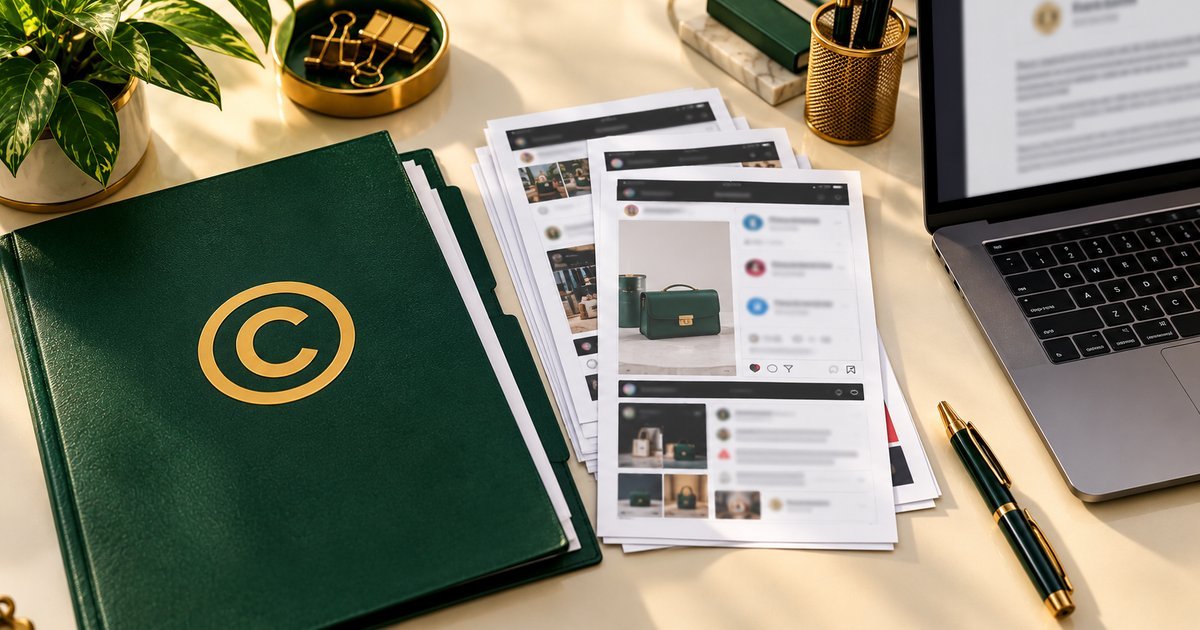
That photo is yours. You took it. You edited it. You posted it first. So why does proving that feel so hard?
Because a copyright report is not decided on what you know. It is decided on what you can show. If the reviewer cannot tell, from your evidence alone, what is original, when you published it, and where the copy is, the report stalls. The good news is that this is fixable. Most of the work is just getting organised before you file, and that is exactly what this article walks you through.
Quick note, because it matters more than anything else here: no one helping you with a copyright case will ever need your password, your login codes, or your recovery codes. Not platform support, not a helper, not anyone. If someone asks for those, walk away.
Start at the end: the evidence pack
Let me flip the usual order around. Instead of starting with the report form, start with what the reviewer will actually look at. Imagine a folder on their screen. Inside it, they should be able to follow your whole story without asking you a single question. That folder is your evidence pack, and here is how it should look:
- A one-page summary: what was copied, who copied it, and where the copies are, with links.
- Your originals: each original file, labelled with its title and first-publication date.
- The copies: each infringing link and screenshot, labelled to match the original it copies.
- A timeline: when you first published each original, and when you first noticed each copy.
- Licenses, if any: the terms that show the other account had no permission, or that its permission had ended.
Use clear filenames, the work’s title, the date, and whether the file is the original or the copy. Keep one copy of the whole pack for yourself, and keep a record of everything you submit and the date you submitted it. Build it well once, and you can reuse it the next time the same account copies you. That is part of what the service covers: guidance on keeping source files so future reports do not start from scratch.
Everything below is just how to fill that folder.

But first, is it actually copying?
Not every similar image or idea is copying, and this is worth a minute of honest thought before you build anything. Ask yourself:
- Is it your exact photo, video, or design file, or only a similar subject, style, or idea? A similar idea is not the same as a copied file.
- Did you create it yourself, or did someone else create it for you under an agreement? If someone else holds the rights, they may be the right person to report.
- Was the other account given permission or a license to use it? Check any license terms, messages, or agreements you may have forgotten.
- Could it be your own older post, a repost you approved, or a use you already agreed to?
- Is the same account copying you repeatedly, or is this a single repost? Repeated copying by the same account or page is one of the common situations this service covers, and it is worth noting either way.
Write down, in one sentence, what was copied and where it now appears. If you cannot state that plainly, gather a little more evidence before reporting.
Save the copies before they vanish
Copies get edited, renamed, or deleted after they are challenged. That happens a lot. So save what you can see now, before you contact the account or warn others in a way that might prompt changes.
Grab the full link to each repost, and to the account or page that posted it. Take screenshots showing the copied photo, video, or design in place, with the account name and the date visible where possible. Note the date you first noticed each copy, as far as you remember it. If your design or artwork is being sold or shared without a license, screenshot the sales listing too, including the price and description shown. And write a short note about anything that has already changed or disappeared, so the record is honest about what is still visible and what is not.
Keep the original files, not only cropped screenshots. Store links and screenshots together in one folder, and do not edit the screenshots. An untouched screenshot is worth far more than a neat one.
Now gather your originals
A report gets stronger the moment you can show, simply, that you are the original creator. Collect only what is relevant:
- The original files of your photo, video, or design, the source files, not a compressed re-upload, with their original filenames where possible.
- Links to where you first published the originals, and the dates you first published them.
- Any earlier versions, drafts, or work-in-progress files that show the work developing, if you have them.
- Any license terms, if the content was ever licensed, including who was allowed to use it, where, and for how long.
- Proof of identity or business ownership, if the platform asks for it, for example business documents that match the name on the account.
Do not send identity documents with a first message, and do not send them to an account that contacted you. Share sensitive proof only through an official reporting route, or in the way Protect Wajahat explains first if you ask for help.
Pick the right ground, or the report goes nowhere
Platforms handle different problems under different rules. A report filed under the wrong one is likely to be refused, even when the copying itself is real. So ask:
- Is this copyright, your original photo, video, or design reused without permission?
- Is it impersonation, someone pretending to be you or your business?
- Is it a different policy problem, such as misleading content or private information?
- Or is it unwanted but not a policy or rights breach at all, in which case a removal report may not be the right tool?
This question matters more than filing quickly. A copyright report needs the ownership evidence you have just gathered. An impersonation report needs different proof. File under the ground that actually fits the evidence you have.
The mistakes I see most
Reporting from memory alone: saying “that is my photo” without the original file, a first-publication date, and a link to the copy leaves the reviewer with nothing to check. Memory is not evidence.
Contacting the copier first: a warning can lead to the copy being deleted before you have saved the link and screenshot. Save first, talk later.
Mixing up originals and copies: sending a screenshot of the repost as if it were your original, or a cropped image with no source file, weakens the ownership claim badly.
Reporting under the wrong category: a copyright complaint about a username, or an impersonation report about a reposted photo, can be refused for the wrong reason.
Sending passwords or codes: no genuine platform process and no legitimate helper needs them. Anyone asking for them should be treated as a risk, not as support.
Exaggerating: claiming dates, ownership, or losses you cannot evidence can damage the credibility of the parts that are true.
Filing the same report many times: duplicate reports can slow review. Keep one clear submission and a record of it, then follow the platform’s process for follow-up.
Assuming removal is guaranteed: the platform decides. A well-organised evidence pack improves clarity. It does not control the outcome.
Run through this once before you submit
Before you press submit, check each of these:
- Every infringing copy has a saved link and screenshot, with the account name visible.
- Every original has a saved source file, a link to where it was first published, and a first-publication date.
- The timeline is complete: first publication for each original, first noticed date for each copy.
- Any license terms are included, and they show the use was not permitted.
- The report is filed under the copyright ground that actually fits, with no legal-sounding claims you cannot support.
- No passwords, login codes, or recovery codes are included anywhere.
- You have kept a copy of everything you submitted, and the date you submitted it.
What happens after you file
After a report, the usual course is case review, an evidence pack, submission through the platform’s official channels, and follow-up with a clear summary of the outcome and next steps. Timelines are set by the platform’s own review process, so no specific timeframe can be promised. While you wait, keep monitoring for repeat copying. Save any new copy the same way, with links, screenshots, and dates, and keep your source files safe, so the next report does not have to start from scratch.
Related reading: what to do when someone impersonates your business, and how to report copied content on Reddit.
If you would like help reviewing the copies against your originals, building the evidence pack, or filing an accurate takedown request, you can request a Free Case Review and describe what happened, including that it is a Copyright Protection & Takedowns case. Details are on the Copyright Protection & Takedowns service page, and pricing is agreed in writing after the initial review and before any work begins.
Leave a Reply